
mHelpDesk Review
mHelpDesk is a long-running, affordable field service platform for small home-service businesses, with scheduling, invoicing, a customer database and standout QuickBooks integration, now owned by Intuit.
On this page
The verdict
mHelpDesk reviews reflect a long-established, affordable platform: it holds a 4.3 out of 5 on Capterra from more than 800 reviews, one of the larger review bases in field service software. Owned by Intuit, mHelpDesk gives a small home-service business simple scheduling, invoicing, a customer database and standout two-way QuickBooks integration at a modest price. The honest catch is its age, reviewers point to a dated interface, a weaker mobile app and limited reporting. But for a small carpet cleaning, appliance repair, painting or home-service shop that wants an affordable, established all-in-one with deep QuickBooks sync, mHelpDesk still earns its place.
mHelpDesk at a glance
| Vendor | mHelpDesk (Intuit) | Category | Field service management |
|---|---|---|---|
| Best for | small home-service businesses (1 to 20 techs) wanting a simple, affordable all-in-one | Starting price | From $169/mo |
| Free trial | Demo only | Free plan | No |
| User rating | 4.3/5 (820+ reviews) | Our score | 7.9/10 |
| Deployment | Cloud, iOS, Android | Founded | 2009 |
| Headquarters | Rockville, MD, USA | Users | 10,000+ |
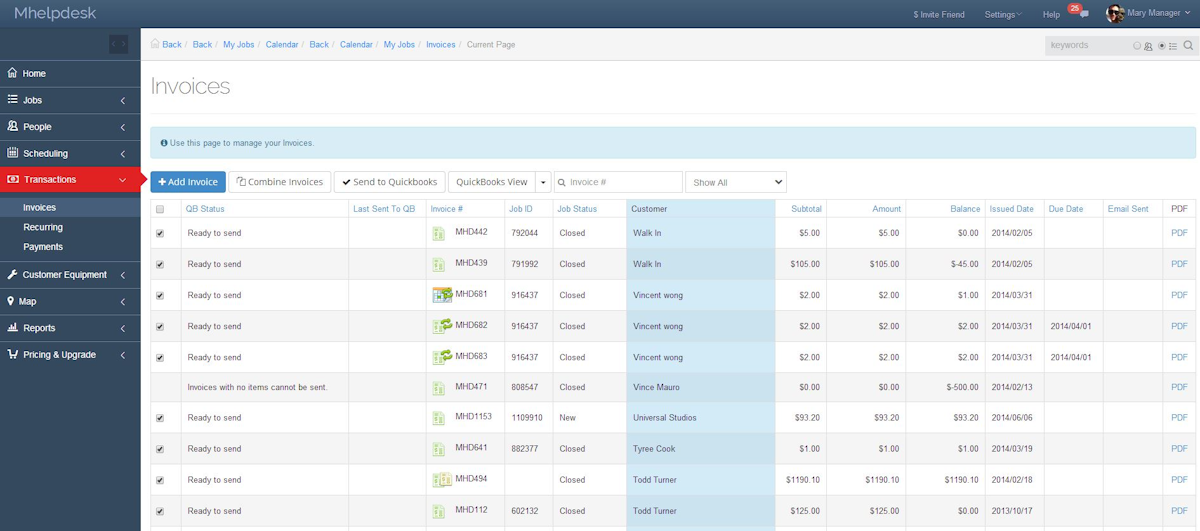
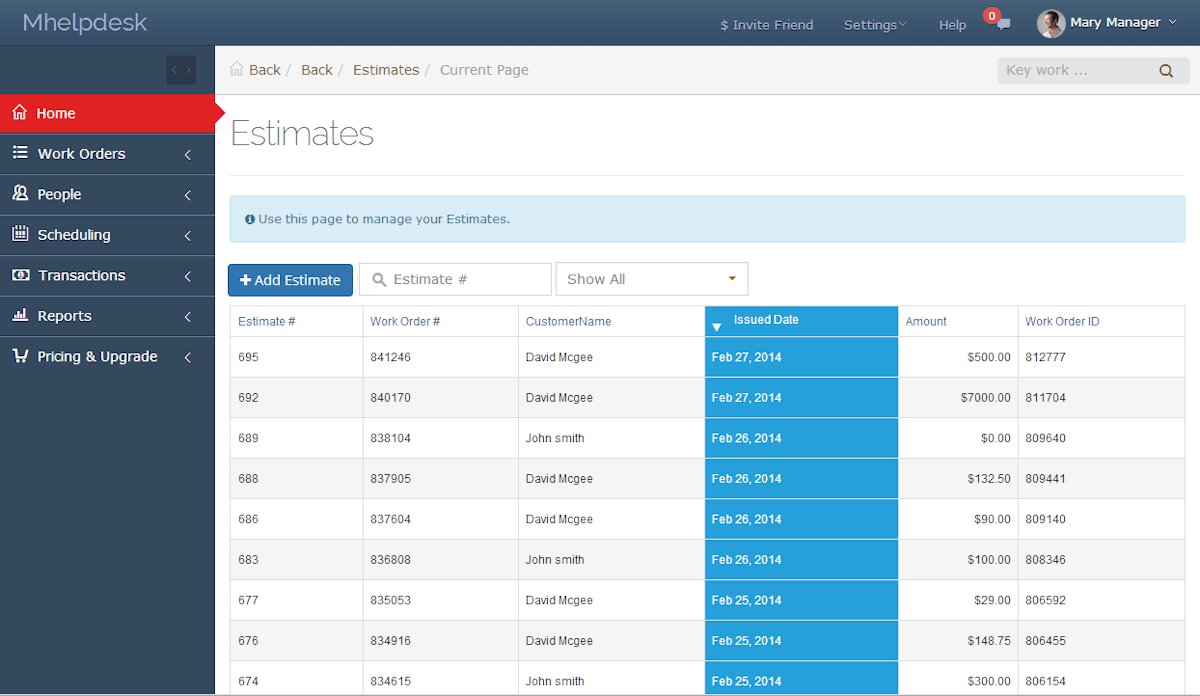
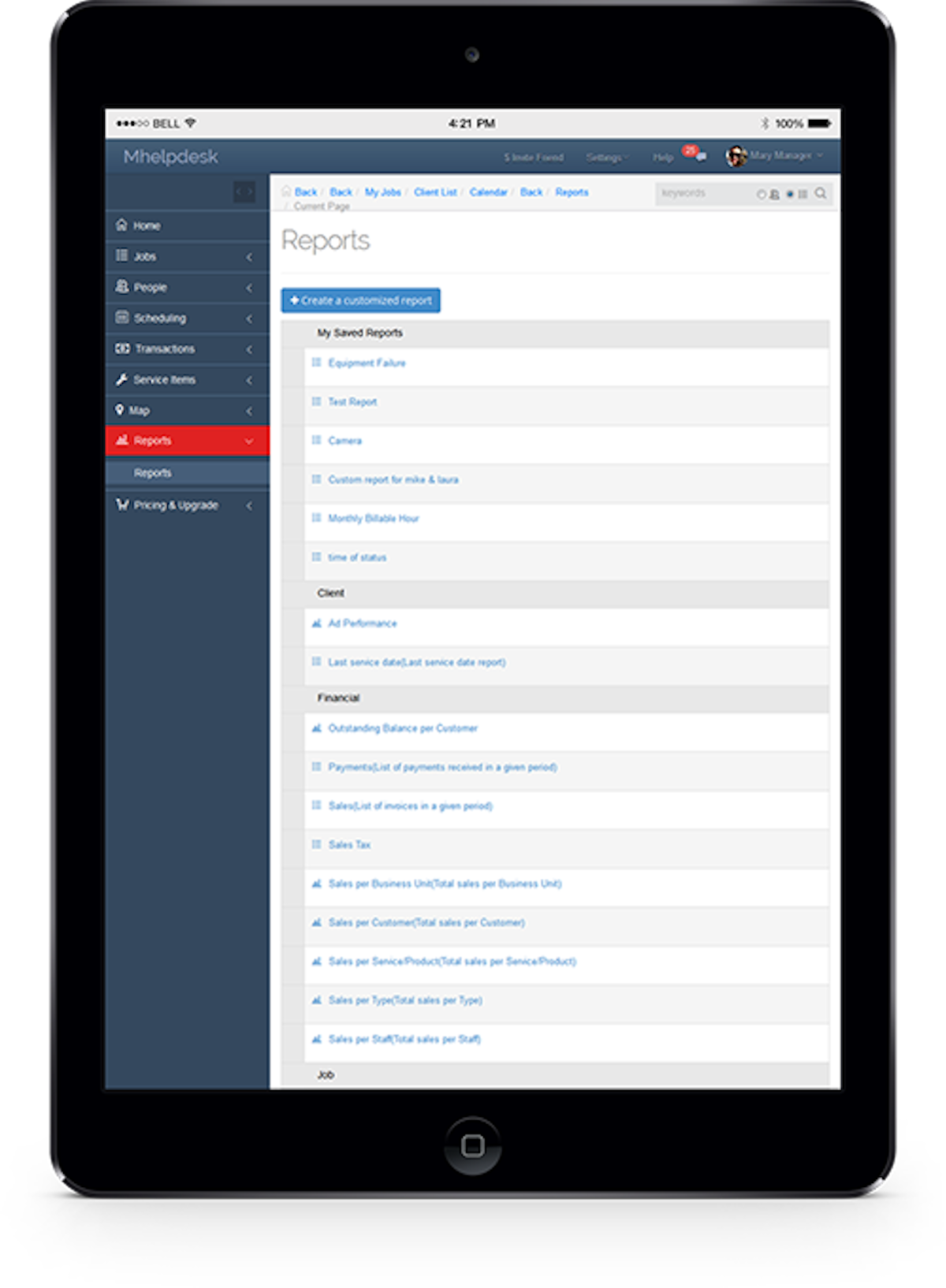
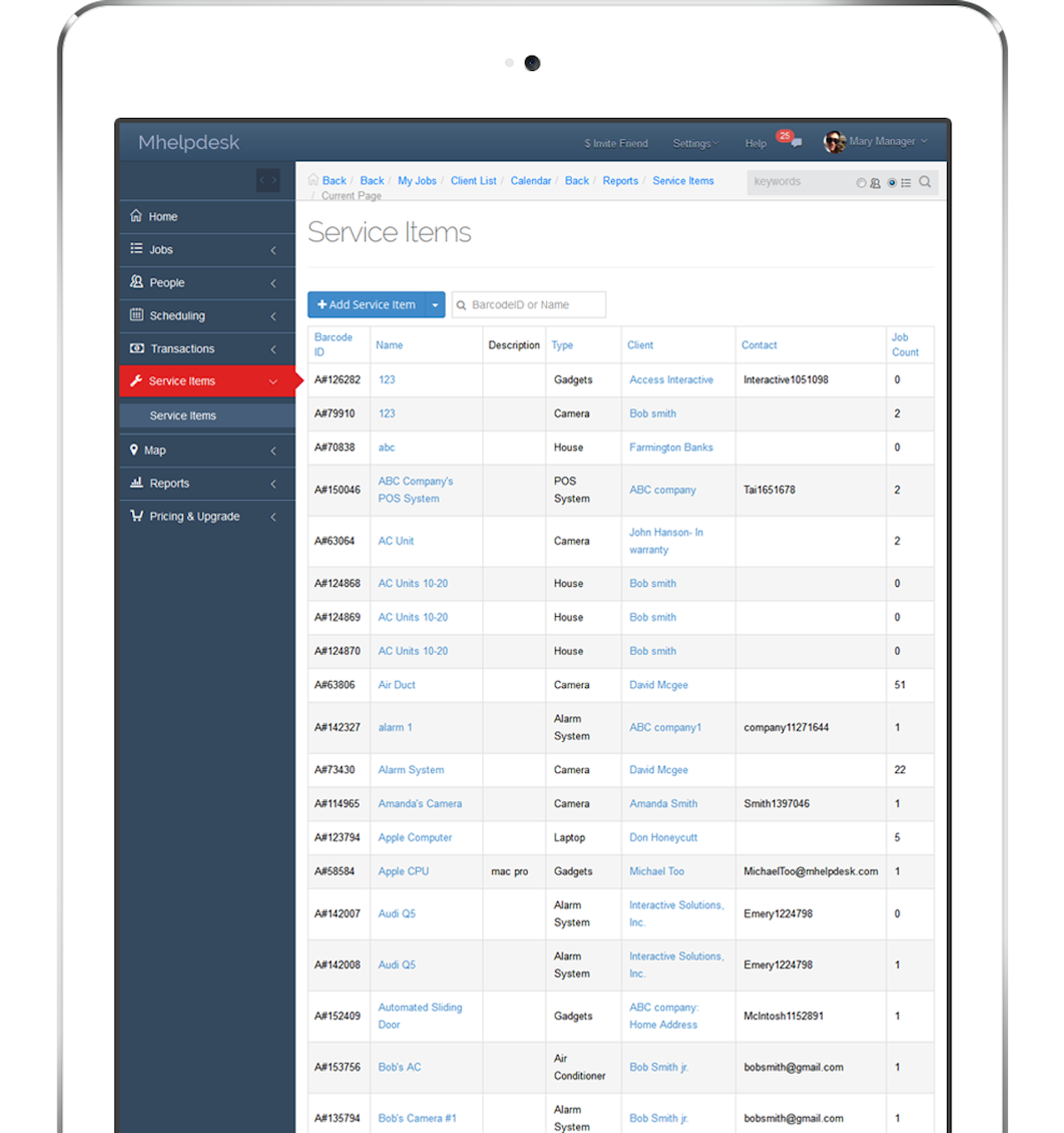
See mHelpDesk in action
A quick look at the interface, so you know what you are getting before the trial.
What mHelpDesk does
The areas we lean on most in daily use, and how mHelpDesk handles each.
Job & work order management
Track every job and work order from request to completion, with status, notes, photos and customer history attached.
Scheduling & dispatch
A scheduling calendar and dispatch view assign jobs to technicians and keep the day organized for a small team.
Estimates & invoicing
Build on-site estimates and invoices, take payment, and turn approved quotes into billed jobs.
QuickBooks integration
Deep two-way QuickBooks Online sync, the platform's standout, flows estimates, invoices and payments to the books without double entry.
Customer database & portal
A CRM holds full customer history, and a self-service portal lets customers view and approve work.
Mobile app
iOS and Android apps let technicians see jobs, capture photos and video and update work in the field, though the app is dated.
Payment processing
Take card payments through integrated processing and record them against the job and QuickBooks.
Lead management
A HomeAdvisor and Angi connection pulls leads in, and follow-up tools help convert them to booked jobs.
How mHelpDesk works day to day
mHelpDesk is one of the longest-running field service platforms for small home-service businesses, and its large review base reflects that history. Founded in 2009, based in Rockville, Maryland and now owned by Intuit, mHelpDesk has served more than ten thousand small businesses across carpet cleaning, HVAC, plumbing, appliance repair, locksmith, pool and other trades, giving them one affordable place to schedule jobs, dispatch technicians, send quotes and invoices, take payment and manage customers.
The pitch is simplicity and value. mHelpDesk covers the core of a service business without the price or complexity of an enterprise platform: a job and work-order list, a scheduling calendar, on-site estimates and invoices, a customer database, and payment processing. For a one-to-twenty-technician shop that mostly needs to book work, get it done and get paid, that is often enough, and the reasonable price is a large part of the appeal.
The standout in most mHelpDesk reviews is the QuickBooks integration. As an Intuit-owned product it offers deep, two-way QuickBooks Online sync, so estimates, invoices and payments flow to the books without double entry. Combined with a customer self-service portal, photo and video capture on jobs, and a HomeAdvisor and Angi lead connection, mHelpDesk software gives a small home-service business a functional lead-to-paid workflow at a modest cost.
The honest weaknesses are just as consistent, and they are mostly about age. Reviewers say the interface feels dated, closer to 2015 software than 2026, with cluttered navigation, and that the mobile app is weaker than newer competitors, with no offline mode. Reporting is limited, several modern features like a flat-rate pricebook, service agreements, multi-location and GPS fleet tracking are missing, and support response times draw complaints. It is also not positioned for GDPR or HIPAA compliance, which matters for some businesses.
Pricing is quote-oriented and starts around 169 dollars a month, with tiers commonly reported near 208, 325 and 533 dollars a month billed annually depending on users and features, and there is no free trial, only a demo. That puts mHelpDesk in the mid-range, cheaper than the enterprise tools but not the cheapest option for a solo operator.
Across mHelpDesk reviews the verdict is steady: it holds a 4.3 out of 5 on Capterra from more than 800 reviews, one of the larger review bases in the category, and small home-service businesses value the simplicity, the price and the QuickBooks sync. The catch is that it shows its age, so a business that prioritizes a modern, polished mobile app or advanced reporting should look at newer tools. But for a small carpet cleaning, appliance repair, painting or similar home-service business that wants an affordable, established all-in-one with deep QuickBooks integration, mHelpDesk software still earns its place.
mHelpDesk pros and cons
Pros
- Large, established review base (4.3/5 from 800+ Capterra reviews)
- Standout two-way QuickBooks Online integration (Intuit-owned)
- Simple to run for scheduling, quoting and invoicing
- Affordable relative to enterprise field service platforms
- Customer self-service portal plus photo and video capture
- HomeAdvisor and Angi lead connection
Cons
- Dated interface that feels more like 2015 than 2026
- Weaker mobile app with no offline mode
- Limited reporting and analytics
- Missing flat-rate pricebook, service agreements and GPS fleet tracking
- No free trial (demo only), and support response times draw complaints
Who should use mHelpDesk, and who should skip it
A great fit if you
- You run a small home-service business with 1 to 20 technicians
- You want a simple, affordable all-in-one, not an enterprise platform
- QuickBooks Online sync is important to you
- You mainly need scheduling, quoting, invoicing and payment
- You value an established tool with a long track record
Look elsewhere if you
- You want the most modern, polished mobile app
- You need advanced reporting and analytics
- You need a flat-rate pricebook, service agreements or GPS fleet tracking
- You require GDPR or HIPAA compliance
Is mHelpDesk right for your trade?
mHelpDesk is used across the main home-service trades. Here is how it fits each one, and what its reviews tend to say in that niche.
mHelpDesk for Carpet cleaning
Carpet cleaning businesses use mHelpDesk for scheduling, on-site invoicing and QuickBooks sync at an affordable price; it appears across carpet cleaning software reviews as a value pick.
mHelpDesk for Appliance repair
Appliance repair shops track jobs, quotes and payments with the QuickBooks-synced workflow, a common theme in its appliance repair software reviews.
mHelpDesk for Painting
Painting contractors use estimates, scheduling and invoicing for a simple, affordable back office, noted in its painting software reviews.
mHelpDesk for HVAC & plumbing
Small HVAC and plumbing shops use job and work-order management with on-site invoicing, though they lose the flat-rate pricebook found in specialist tools.
mHelpDesk for Locksmith & pool
Locksmith and pool service businesses use scheduling, dispatch and the customer portal to run simple home-service operations.
mHelpDesk scorecard
How mHelpDesk scored across our rubric. Every tool is measured on the same areas.
mHelpDesk pricing and plans
Real starting prices, dated and re-checked each pass. mHelpDesk pricing starts around $169/mo and is quote-oriented, with tiers commonly reported near $208 (Base), $325 (Plus) and $533 (Pro) per month billed annually, depending on users and features. There is no free trial, only a guided demo, and no long-term contract.
mHelpDesk integrations
Tools mHelpDesk connects with out of the box, so it fits the stack you already run.
 QuickBooks Online
 Stripe
Google
HomeAdvisor
Angi
Stripe
Google
HomeAdvisor
Angi
Support, training and deployment
How you can reach the mHelpDesk team, how they onboard you, and where it runs.
Support
- Email / Help Desk
- Phone Support
- Chat
- Knowledge Base
Training
- Live Online
- Webinars
- Documentation
- Videos
Deployment
- Cloud, SaaS, Web-Based
- Mobile - Android
- Mobile - iPhone / iPad
Typical customers
- Freelancers
- Small businesses
mHelpDesk alternatives
If mHelpDesk is not the fit, these are the closest tools we rank, in order.



 mHelpDesk
How to test mHelpDesk before you commit
Every tool demos well. These are the checks that actually tell you whether mHelpDesk fits your shop, while the free trial is still running.
Run a real job end to end
- Book it, schedule it, dispatch a tech, then invoice and take payment
- Do it on the phone your techs actually carry, not a demo laptop
- Try it with weak signal in the field, not just on office wifi
- Add a second user and watch how the per-seat price moves
Watch for the catch
- Payment-processing fees taken on every card and ACH run
- Features quietly locked to a higher tier than the one you tried
- Onboarding or data import sold as a paid add-on
- How hard it is to export your data if you decide to leave
mHelpDesk FAQ
How much does mHelpDesk cost?
mHelpDesk pricing starts around $169 a month and is quote-oriented. Tiers are commonly reported near $208 (Base), $325 (Plus) and $533 (Pro) per month billed annually, depending on users and features. There is no free trial, only a guided demo, and no long-term contract.
What do mHelpDesk reviews say?
mHelpDesk holds a 4.3 out of 5 on Capterra from more than 800 reviews, one of the larger review bases in the category, and 3.8 on G2. Small home-service businesses praise the simplicity, the price and the deep QuickBooks integration. The most common complaints are a dated interface, a weak mobile app and limited reporting.
Who owns mHelpDesk?
mHelpDesk is owned by Intuit, the company behind QuickBooks. That ownership is why its standout feature is a deep, two-way QuickBooks Online integration. It is a separate product from Intuit Field Service Management, which is powered by Corrigo.
Is mHelpDesk good for carpet cleaning and home-service businesses?
Yes, for a small operation. mHelpDesk serves carpet cleaning, appliance repair, HVAC, pool, painting and other home-service trades with scheduling, invoicing and QuickBooks sync at an affordable price. It is best for simpler needs, since it lacks some modern features and a polished mobile app.
Does mHelpDesk integrate with QuickBooks?
Yes, and it is the standout feature. As an Intuit product, mHelpDesk offers deep two-way QuickBooks Online sync so estimates, invoices and payments flow to your books without double entry. It does not sync with QuickBooks Desktop.
Does mHelpDesk have a mobile app?
Yes, mHelpDesk has iOS and Android apps for technicians to view jobs, capture photos and video and update work in the field. Reviewers rate the app lower than newer competitors, around 4.1 on iOS and 3.9 on Android, and note it has no offline mode.
Is mHelpDesk worth it?
For a small home-service business that wants an affordable, established all-in-one with strong QuickBooks integration, yes. It handles scheduling, quoting, invoicing and payment simply and at a modest price. It is less worth it if you prioritize a modern mobile app or advanced reporting, where newer tools do better.
Does mHelpDesk have a free trial?
No. mHelpDesk offers a guided demo rather than a self-serve free trial. There is no long-term contract, so you cancel month to month, but you cannot test the full product on your own before talking to sales.
What are mHelpDesk's main downsides?
The most common are a dated interface that feels older than modern competitors, a weaker mobile app with no offline mode, limited reporting, and missing features like a flat-rate pricebook, service agreements and GPS fleet tracking. It is also not positioned for GDPR or HIPAA compliance.
mHelpDesk vs Jobber: which should I choose?
Both target small home-service businesses. mHelpDesk is cheaper to start and has the deepest QuickBooks tie as an Intuit product, but its interface and mobile app feel dated. Jobber is more modern and polished with a stronger app. Choose mHelpDesk for QuickBooks and value, and Jobber for a modern experience.
mHelpDesk reviews from real users
Verified reviews from people running mHelpDesk in the field. Every review is read by our team before it goes live, so this is honest signal, not spam.
No user reviews yet. If you use mHelpDesk, be the first to tell other shops how it works in the real world.
You need a free account to post a review. Create one in under a minute and you will come right back here to write it.
Why our ranking is worth trusting
“We run a real week of jobs through every tool and score it against the same 40 points. If it wins, it earned it, and no vendor can change that.”
The Duhari review teamProud of your score? Show it.
Add your independent Duhari rating to your site. It is free, it updates on its own, and it links back to this review.
Get your badge →
Not sure which tool fits?
Start from the full ranking, filtered by your trade and crew size, and pick the right tool with honest scores and real starting prices.