
Orcatec Review
Orcatec is a modern, all-in-one field service platform for 40-plus trades, from HVAC to garage door and appliance repair, with dispatch, estimates, invoicing, payments and a genuinely free starter plan.
On this page
The verdict
Orcatec reviews are among the most positive in the category: it earns a near-perfect 5.0 out of 5 on Capterra with top marks for ease of use, features and support, though from a small review base best read as directional. Orcatec is a modern, full-featured all-in-one for more than forty trades, from HVAC to garage door and appliance repair, with dispatch, estimates, invoicing, payments and job costing, and a genuinely free starter plan that few full platforms offer. The honest caveat is that it is a newer, smaller name than Jobber or ServiceTitan. But for a small service business that wants a lot of software for little money, especially in an underserved trade like garage door, Orcatec is well worth a trial.
Orcatec at a glance
| Vendor | Orcatec | Category | Field service management |
|---|---|---|---|
| Best for | small service businesses across many trades wanting a free-to-start all-in-one | Starting price | Free + paid |
| Free trial | Yes | Free plan | Yes |
| User rating | 5.0/5 (14 (Capterra) reviews) | Our score | 8.3/10 |
| Deployment | Cloud, iOS, Android | Founded | – |
| Headquarters | Rancho Santa Fe, CA, USA | Users | Small service businesses |
See Orcatec in action
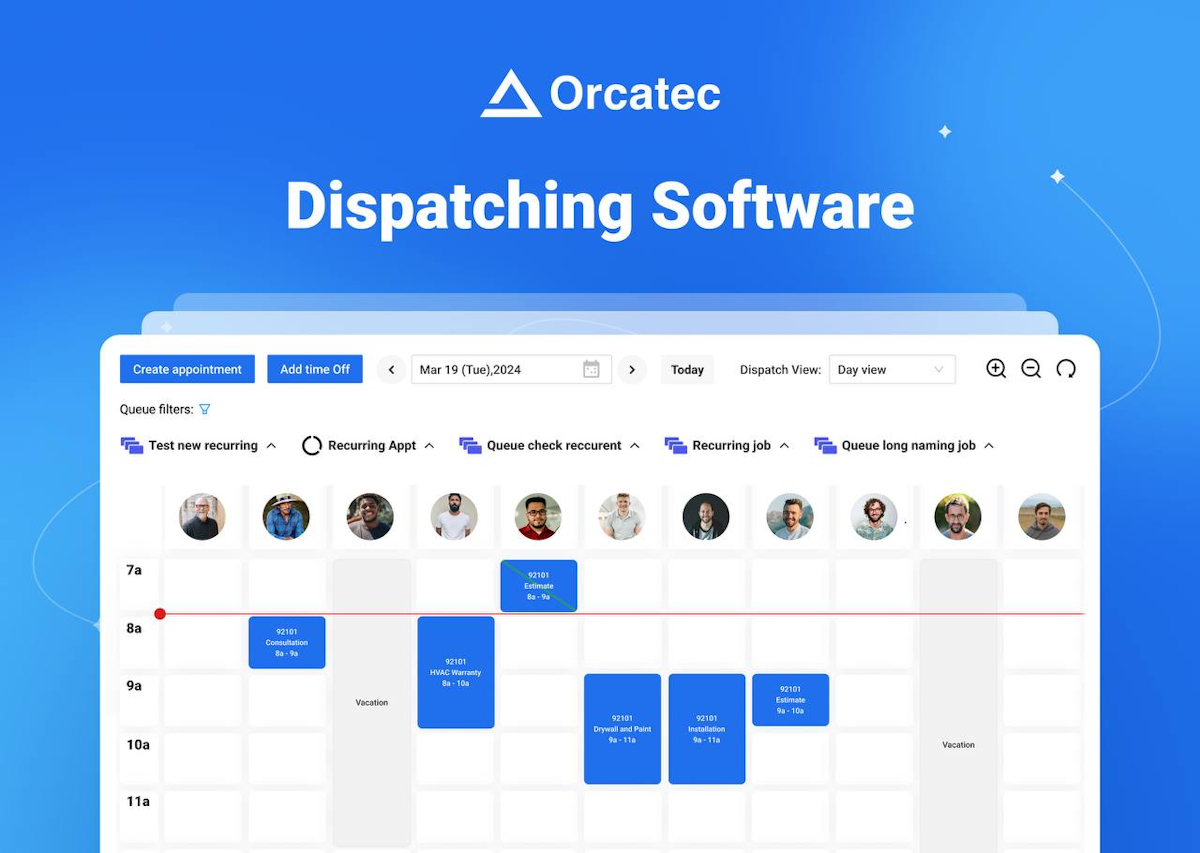
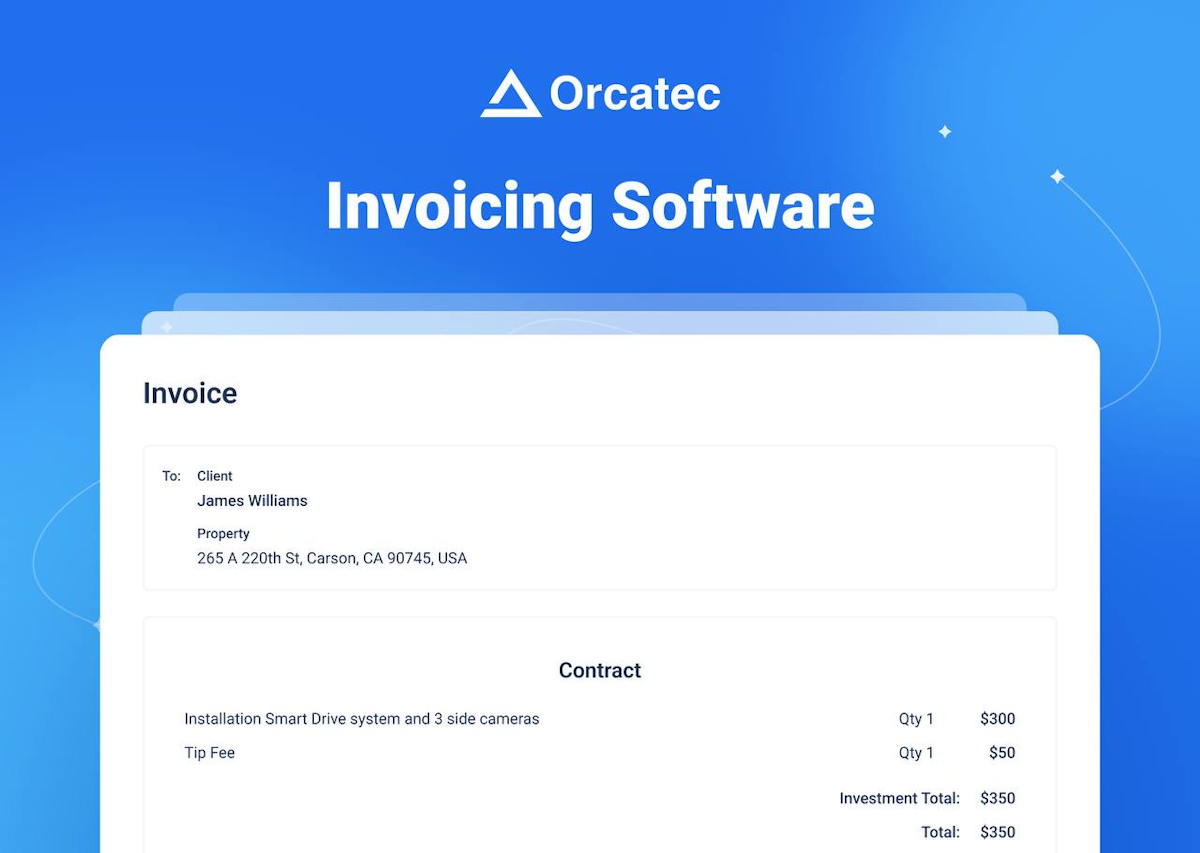
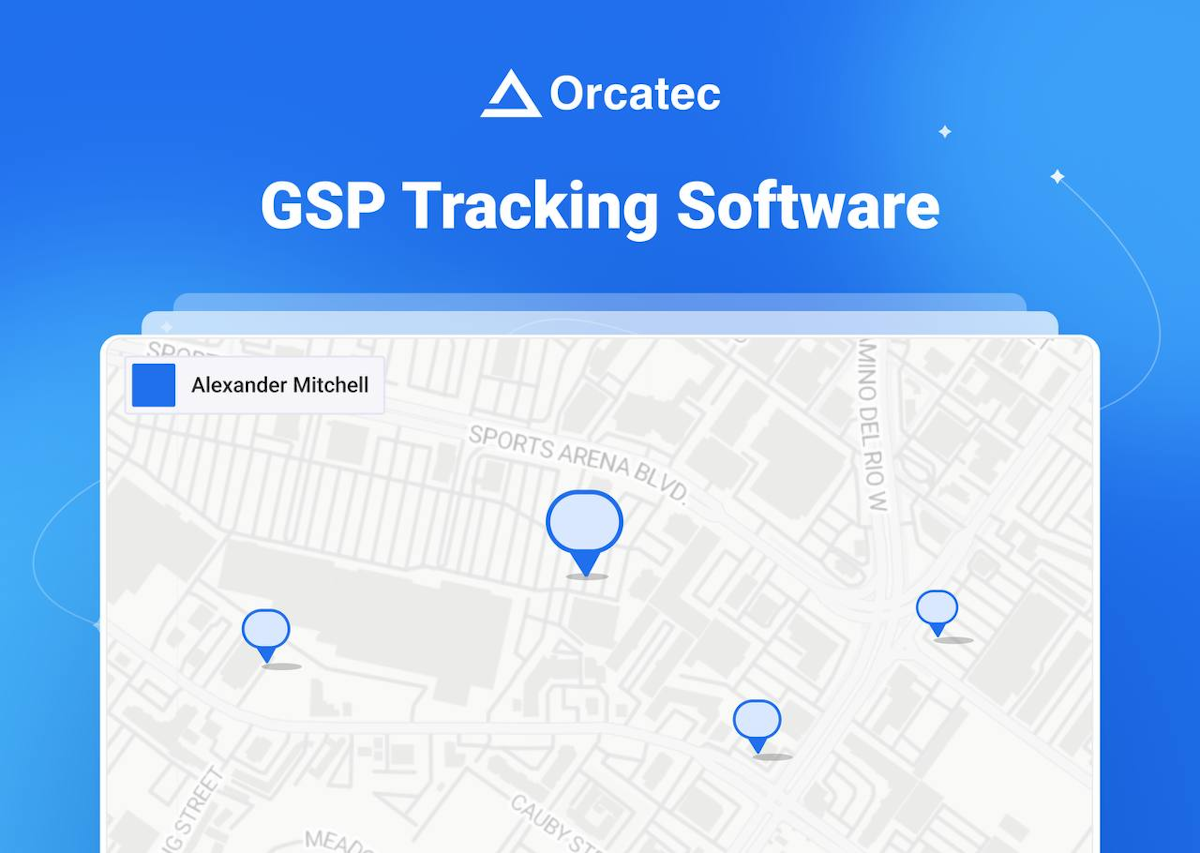
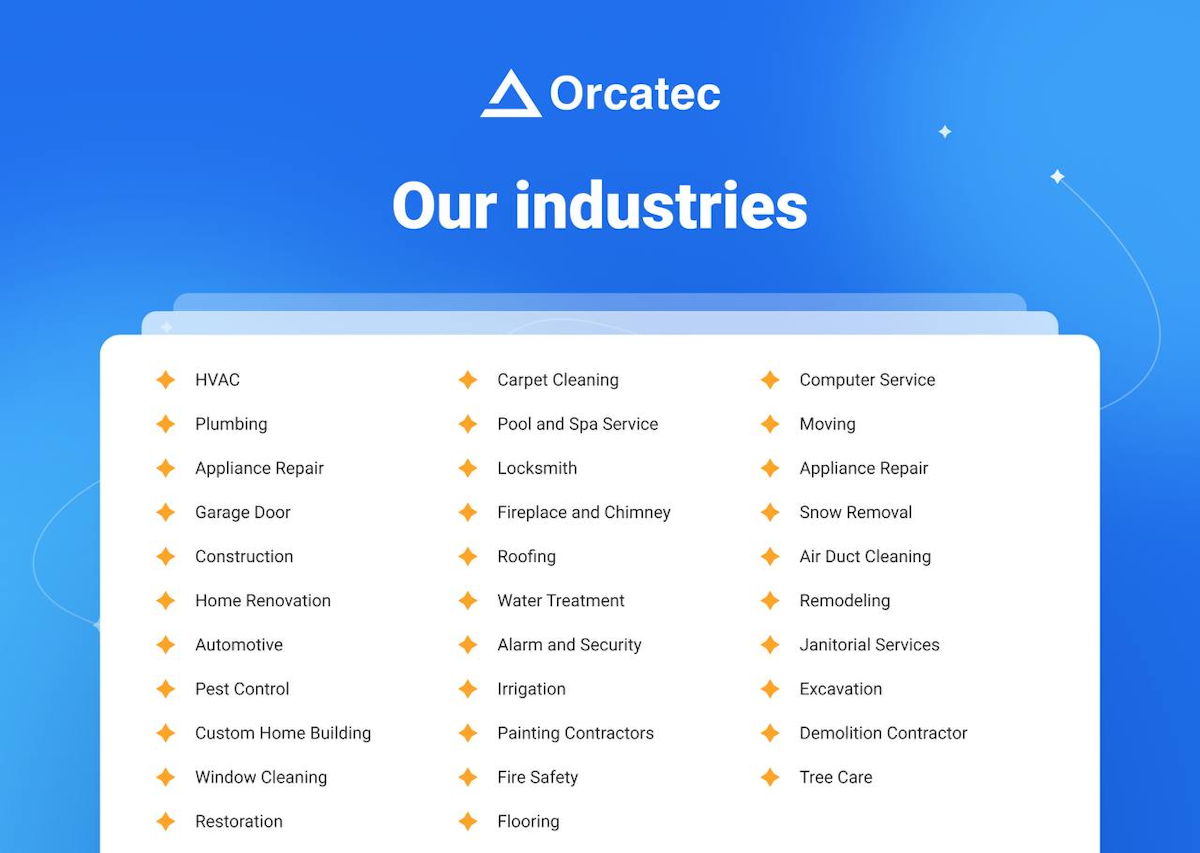
A quick look at the interface, so you know what you are getting before the trial.
What Orcatec does
The areas we lean on most in daily use, and how Orcatec handles each.
Dispatching & scheduling
A drag-and-drop dispatch board with route and GPS tracking assigns jobs and keeps technicians moving across the day.
Estimates & sales proposals
Build itemized estimates and good-better-best proposals on site that customers can approve, with consumer financing options.
Invoicing & payments
Turn work into invoices and take card and ACH payments with a card reader, plus financing, then sync to QuickBooks.
Field service CRM
A central customer database holds preferences, service history and payment records for repeat and recurring work.
Job costing & expenses
Track costs, expenses and profitability per job so owners see which work actually pays.
Payroll & commissions
Contractor payroll and commission management ties field hours and sales to what technicians get paid.
Calls, messaging & reviews
Call tracking, messaging and review management keep customer communication and reputation in one place.
Reporting
Advanced reporting gives owners the numbers on jobs, revenue and technicians to run and grow the business.
How Orcatec works day to day
Orcatec is a modern, all-in-one field service platform that stands out for two things: how much it packs in, and that you can start for free. Built for both the office and the field and used across more than forty service trades, from HVAC and plumbing to garage door, appliance repair, locksmith and cleaning, Orcatec aims to run the whole business, lead to paid, on one system, and it is one of the few full-featured platforms with a genuinely free entry point.
The feature list is broad for the price. Orcatec covers dispatching and scheduling with route and GPS tracking, a field service CRM, estimates and good-better-best sales proposals, invoicing, and payments by card and ACH with a card reader and consumer financing. Beyond the basics it adds job costing and expense tracking, contractor payroll and commissions, call tracking and messaging, review management and advanced reporting, plus a QuickBooks Online integration. For a small business that wants an enterprise-style toolset without an enterprise price, that breadth is the appeal.
Because Orcatec serves so many trades, it fits businesses that do not always find a dedicated tool. A garage door company, an appliance repair shop or a locksmith gets the same dispatch board, estimates, invoicing and payments as an HVAC contractor, tuned by industry templates rather than a separate product. For the garage door and appliance trades in particular, where fewer purpose-built options exist, Orcatec is a credible all-in-one that most reviews rate highly.
The honest caveat is the review base. Orcatec earns a near-perfect rating on the review sites, 5.0 out of 5 on Capterra with top marks for ease of use, features and support, but from a small number of reviews, so that score is best read as strongly positive and directional rather than as settled as a tool with thousands of reviews. It is a newer, smaller name than Jobber, Housecall Pro or ServiceTitan, and a business that wants a long, deep track record should weigh that.
Pricing leans on the free plan. Orcatec offers a free starter tier to get a business booking, quoting and invoicing at no cost, with paid plans and add-ons layered on as the team grows and needs payments, payroll and advanced features. For a small operator testing the water, that free entry point is a real advantage over the sales-led quotes common in this category.
Across Orcatec reviews the picture is consistent: a modern, generous, full-featured platform that small service businesses genuinely like, especially those in trades like garage door and appliance repair that are underserved by dedicated tools, held back only by a small public review base and a shorter track record. For a small business that wants a lot of software for little money and does not mind a newer vendor, Orcatec software is well worth a trial.
Orcatec pros and cons
Pros
- Genuinely free starter plan, rare for a full-featured platform
- Very broad feature set: dispatch, CRM, estimates, invoicing, payments, payroll, reporting
- Serves 40+ trades, including underserved ones like garage door and appliance repair
- Near-perfect user ratings for ease of use, features and support
- Route and GPS tracking, consumer financing and QuickBooks sync included
- Modern, intuitive interface built for office and field
Cons
- Small public review base, so ratings are directional rather than settled
- Newer, smaller vendor than Jobber, Housecall Pro or ServiceTitan
- Paid plan pricing is not clearly published up front
- Less of a long-term track record for a business-critical tool
- Deep, trade-specific features may lag the specialists in some trades
Who should use Orcatec, and who should skip it
A great fit if you
- You are a small service business that wants a lot of features for little cost
- You want a genuinely free way to start booking, quoting and invoicing
- You work in a trade like garage door or appliance repair with few dedicated tools
- You want dispatch, CRM, invoicing and payments in one modern system
- You are comfortable with a newer, smaller vendor
Look elsewhere if you
- You want the reassurance of a large, deep public review base
- You need the deepest trade-specific features of a specialist tool
- You require a long, proven enterprise track record
- You want fully published pricing for every paid tier up front
Is Orcatec right for your trade?
Orcatec is used across the main home-service trades. Here is how it fits each one, and what its reviews tend to say in that niche.
Orcatec for Garage door
Garage door companies get a full all-in-one, dispatch, estimates, invoicing and payments, in a trade with few dedicated tools; Orcatec features in garage door software reviews as a strong, affordable option.
Orcatec for Appliance repair
Appliance repair shops use scheduling, job tracking and QuickBooks-synced invoicing, a fit its appliance repair software reviews note for the value and breadth.
Orcatec for HVAC & plumbing
HVAC and plumbing contractors use flat-rate estimates, dispatch and payments with financing, matching how the trades quote and run jobs.
Orcatec for Locksmith
Locksmith businesses use fast dispatch, mobile estimates and on-site payments for emergency and scheduled work.
Orcatec for Cleaning
Home and carpet cleaning businesses use recurring scheduling, the CRM and invoicing to run route-based service.
Orcatec scorecard
How Orcatec scored across our rubric. Every tool is measured on the same areas.
Orcatec pricing and plans
Real starting prices, dated and re-checked each pass. Orcatec offers a genuinely free starter plan that lets a small business book, quote and invoice at no cost, with paid plans and add-ons layered on for payments, payroll and advanced features as the team grows. Exact paid-tier prices are not clearly published up front, so confirm current pricing with Orcatec.
Orcatec integrations
Tools Orcatec connects with out of the box, so it fits the stack you already run.
 QuickBooks Online
 Stripe
Card readers
Consumer financing
Google
Stripe
Card readers
Consumer financing
Google
Support, training and deployment
How you can reach the Orcatec team, how they onboard you, and where it runs.
Support
- Email / Help Desk
- Phone Support
- Chat
- Knowledge Base
Training
- Live Online
- Webinars
- Documentation
- Videos
Deployment
- Cloud, SaaS, Web-Based
- Mobile - Android
- Mobile - iPhone / iPad
Typical customers
- Freelancers
- Small businesses
Orcatec alternatives
If Orcatec is not the fit, these are the closest tools we rank, in order.



 Orcatec
How to test Orcatec before you commit
Every tool demos well. These are the checks that actually tell you whether Orcatec fits your shop, while the free trial is still running.
Run a real job end to end
- Book it, schedule it, dispatch a tech, then invoice and take payment
- Do it on the phone your techs actually carry, not a demo laptop
- Try it with weak signal in the field, not just on office wifi
- Add a second user and watch how the per-seat price moves
Watch for the catch
- Payment-processing fees taken on every card and ACH run
- Features quietly locked to a higher tier than the one you tried
- Onboarding or data import sold as a paid add-on
- How hard it is to export your data if you decide to leave
Orcatec FAQ
How much does Orcatec cost?
Orcatec offers a genuinely free starter plan that lets a small business book, quote and invoice at no cost, with paid plans and add-ons layered on for payments, payroll and advanced features as you grow. Exact paid-tier prices are not clearly published, so confirm current pricing with Orcatec directly. The free entry point is a real advantage over the sales-led quotes common in this category.
What do Orcatec reviews say?
Orcatec earns a near-perfect 5.0 out of 5 on Capterra, with top marks for ease of use, features and customer support, though from a small review base of around 14 reviews. Small service businesses praise the breadth of features and the free plan. The main caveat reviewers and buyers should weigh is that the review base is small and the vendor is newer.
Is Orcatec really free?
Yes, Orcatec offers a genuinely free starter plan, not just a trial, so a small business can start booking, quoting and invoicing at no cost. Payments, payroll and advanced features move you onto paid plans, but the free tier is real and one of the platform's biggest draws.
Is Orcatec good for garage door and appliance repair?
Yes, and these are trades where it stands out. Garage door and appliance repair businesses have fewer dedicated software options, and Orcatec gives them a full all-in-one, dispatch, estimates, invoicing and payments, tuned by industry templates. For these underserved trades it is a credible, well-rated choice.
What trades does Orcatec support?
Orcatec supports more than forty trades, including HVAC, plumbing, electrical, garage door, appliance repair, locksmith, home cleaning, carpet cleaning, painting, window cleaning, pest control, construction and many others. The core platform is the same across trades, tuned by industry templates.
Does Orcatec integrate with QuickBooks?
Yes. Orcatec integrates with QuickBooks Online so estimates, invoices and payments flow to your accounting. It also includes built-in payment processing with card and ACH, a card reader and consumer financing.
Is Orcatec worth it?
For a small service business that wants a lot of software for little money, yes, especially in a trade like garage door or appliance repair that is underserved by dedicated tools. The free plan makes it easy to try. The main reason to hesitate is the small review base and shorter track record versus the big established names.
How does Orcatec compare to Jobber or Housecall Pro?
Orcatec matches or beats them on raw feature breadth and offers a free plan, which they do not, but Jobber and Housecall Pro have much larger review bases and longer track records. Choose Orcatec for features and value on a budget, and Jobber or Housecall Pro for a proven, widely used platform.
What are Orcatec's main downsides?
The main ones are a small public review base, so ratings are directional rather than settled, a newer and smaller vendor than the established names, paid pricing that is not clearly published, and trade-specific depth that may lag the specialists in some trades.
Orcatec reviews from real users
Verified reviews from people running Orcatec in the field. Every review is read by our team before it goes live, so this is honest signal, not spam.
No user reviews yet. If you use Orcatec, be the first to tell other shops how it works in the real world.
You need a free account to post a review. Create one in under a minute and you will come right back here to write it.
Why our ranking is worth trusting
“We run a real week of jobs through every tool and score it against the same 40 points. If it wins, it earned it, and no vendor can change that.”
The Duhari review teamProud of your score? Show it.
Add your independent Duhari rating to your site. It is free, it updates on its own, and it links back to this review.
Get your badge →
Not sure which tool fits?
Start from the full ranking, filtered by your trade and crew size, and pick the right tool with honest scores and real starting prices.