
Workyard Review
Workyard is a construction-focused workforce management and GPS time-tracking platform that captures precise, geofenced hours, codes labor to projects and delivers real-time job costs and clean payroll. It is a workforce and time-tracking tool, not a full FSM.
On this page
The verdict
Workyard reviews make it one of the highest-rated workforce tools in construction, with a 4.7 out of 5 and a near-perfect 4.9 for support. It is a GPS time-tracking and workforce management platform built for specialty contractors: geofencing clocks crews in and out automatically, the mobile app records precise hours, location and mileage, and labor is coded to projects for real-time job costing and clean payroll. Office-to-field scheduling, compliance and 18-plus payroll and accounting integrations round it out. The key thing to understand is scope: Workyard is a workforce and time-tracking tool, not a full field service platform, so it does not invoice customers or dispatch to homeowners. For accurate construction time tracking and job costing, it is best in class, used alongside your customer-facing and accounting systems.
Workyard at a glance
| Vendor | Workyard | Category | Construction workforce management |
|---|---|---|---|
| Best for | construction & specialty-trade crews needing accurate GPS time tracking & job costing | Starting price | Free to $13/user/mo+ |
| Free trial | Yes | Free plan | Yes |
| User rating | 4.7/5 (102 reviews) | Our score | 8.4/10 |
| Deployment | Cloud, iOS, Android | Founded | 2016 |
| Headquarters | San Mateo, CA | Users | 100,000+ industry professionals |
See Workyard in action
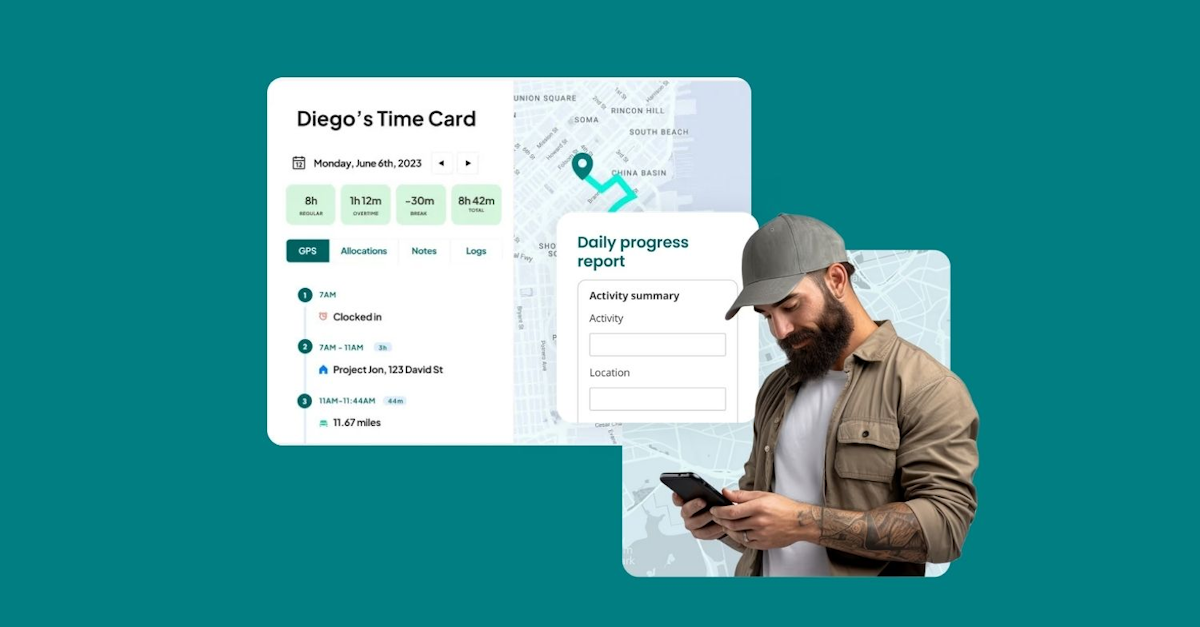
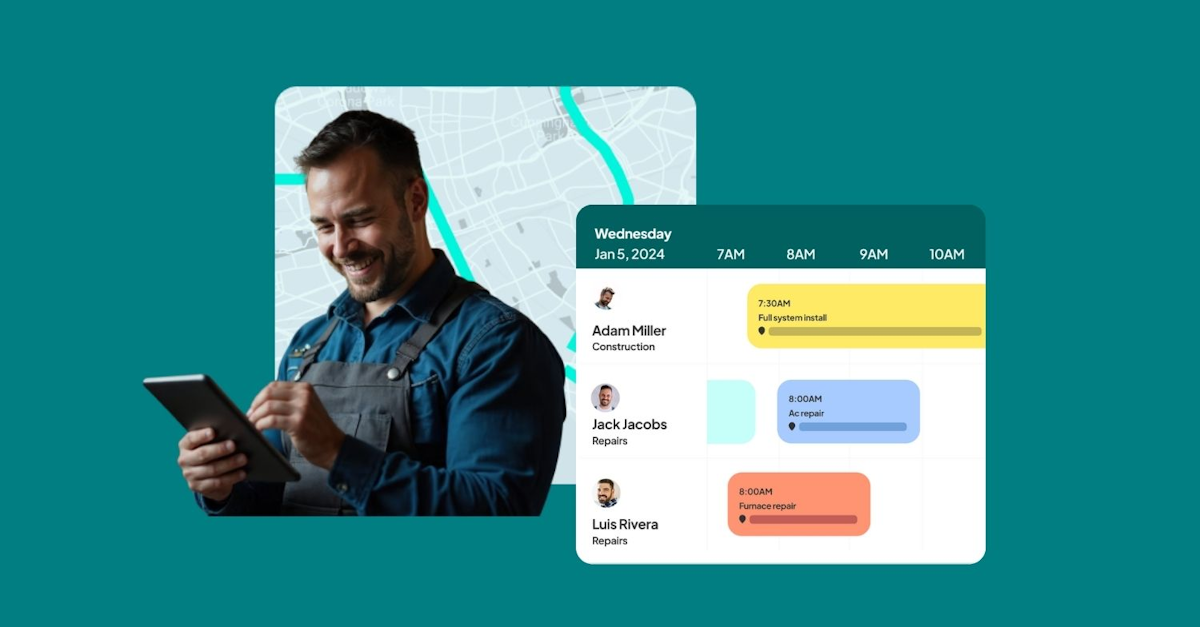
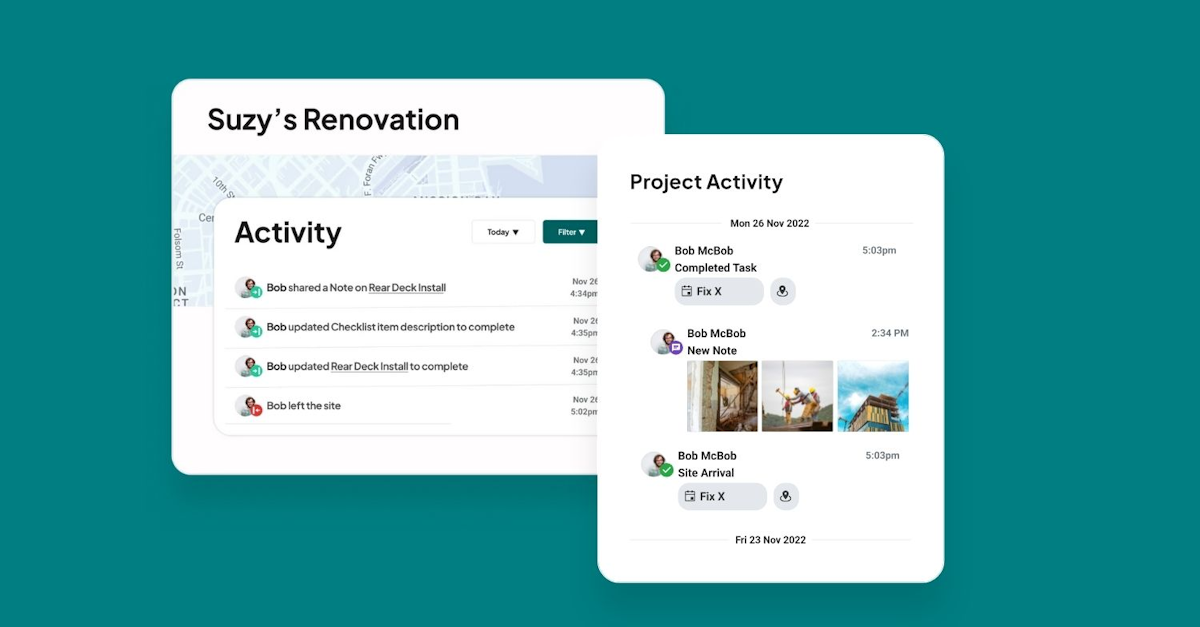
A quick look at the interface, so you know what you are getting before the trial.
What Workyard does
The areas we lean on most in daily use, and how Workyard handles each.
GPS time tracking
Geofencing clocks crews in and out automatically as they arrive at and leave a jobsite, capturing precise, verifiable hours.
Mobile time card
The mobile app records hours, GPS location, mileage and travel time, with a clear daily time card for each worker.
Real-time job costing
Labor is coded to projects and turned into live job costs, so owners see current spend against each job as it happens.
Office-to-field scheduling
Managers schedule work and dispatch tasks to crews, who get schedule and task notifications on the mobile app.
Project activity & notes
Crews add notes, photos and checklist updates, and managers see live crew locations and project activity as it rolls in.
Compliance & overtime
Automatic overtime and break compliance plus prevailing-wage support keep construction payroll accurate and audit-ready.
Payroll & accounting sync
Integrations with 18-plus systems, including QuickBooks, Gusto, ADP, Sage and Foundation, push clean hours to payroll.
Timesheet audit trail
A full timesheet reporting and audit trail documents every clock event and edit for accountability.
How Workyard works day to day
Workyard is the tool construction crews reach for when accurate time and location matter more than anything else. It is a workforce management and GPS time-tracking platform built specifically for specialty contractors and self-performing general contractors, and it does one job exceptionally well: capturing precise, GPS-verified hours, coding that labor to the right project, and turning it into real-time job costs and clean payroll. More than 100,000 industry professionals use it, and across Workyard reviews it earns an outstanding 4.7 out of 5, with a near-perfect 4.9 for customer support.
The core strength is accuracy. Workyard's GPS and geofencing automatically clock crews in and out as they arrive at and leave a jobsite, so timesheets reflect real hours instead of guesses, and the mobile app records location, mileage and travel time. Reviewers consistently say it ended their paper timecards and let them validate exactly how long crews were on the clock and where, which is why its GPS tracking, mobile time tracking and overtime calculation all score at or near a perfect five stars.
Beyond time tracking, Workyard connects the office to the field. Managers schedule work and dispatch tasks to crews, get live crew locations and current job costs, and see project activity as notes, photos and checklist updates roll in. Automatic labor-cost calculation, break and overtime compliance, mileage reporting and prevailing-wage support make it especially strong for construction payroll and compliance, and it integrates with more than 18 payroll, accounting and ERP systems including QuickBooks, Gusto, ADP, Sage and Foundation.
The honest limitations are narrow but worth noting. A few reviewers report friction with refunds and refund policy, difficulty removing inactive employees without desktop access, and some challenges documenting prevailing-wage requirements, plus occasional concerns about how smoothly certain third-party integrations set up. None of these undercut the core product, but they are the recurring themes in the small share of critical Workyard reviews.
The most important thing to understand is scope. Workyard is a workforce, time-tracking and scheduling platform, not a full field service management system. It does not manage customer jobs end to end, send estimates, invoice clients or dispatch to homeowners the way Jobber or Housecall Pro do. Construction and trade businesses typically use Workyard as the labor and job-costing backbone alongside their estimating, project management or accounting tools, and for that role it is best in class.
Across Workyard reviews the verdict is clear: for a construction or specialty-trade business that needs accurate GPS time tracking, real-time job costing and simple crew scheduling, Workyard is one of the best tools available, backed by a 4.7 out of 5 and standout support. Just treat it as the workforce layer, pair it with your customer-facing and accounting systems, and the Workyard app will keep your labor data tight and your job costs honest.
Workyard pros and cons
Pros
- Best-in-class GPS and geofenced time tracking (near-perfect ratings)
- Automatic clock in/out at the jobsite for accurate, verifiable hours
- Real-time labor cost and job costing coded to the right project
- Outstanding customer support (4.9/5) from real people
- Strong construction payroll and compliance: overtime, breaks, prevailing wage
- 18+ payroll and accounting integrations (QuickBooks, Gusto, ADP, Sage, Foundation)
Cons
- Not a full FSM: no customer job management, estimates or invoicing
- Some reviewers report refund and refund-policy friction
- Removing inactive employees can be awkward without desktop access
- Prevailing-wage documentation can be challenging for some
- Occasional friction setting up certain third-party integrations
Who should use Workyard, and who should skip it
A great fit if you
- You run a construction or specialty-trade business with field crews
- You need accurate, GPS-verified time and location tracking
- You want real-time job costing and clean construction payroll
- You are replacing paper timecards and manual timesheets
- You need overtime, break and prevailing-wage compliance
Look elsewhere if you
- You need to manage customer jobs, estimates and invoicing (a full FSM)
- You want to dispatch work orders to homeowners
- You want one tool to run the whole customer-facing business
- You are a solo operator with no crew to track
Is Workyard right for your trade?
Workyard is used across the main home-service trades. Here is how it fits each one, and what its reviews tend to say in that niche.
Workyard for Construction
Construction crews use GPS time tracking and real-time job costing to control labor, their biggest variable cost; Workyard leads construction time-tracking reviews.
Workyard for Electrical
Electrical contractors track crew hours by project with geofencing and push clean labor costs to payroll and accounting.
Workyard for HVAC & mechanical
HVAC and mechanical crews validate on-site hours and code labor to jobs, a fit noted for construction-grade payroll accuracy.
Workyard for Concrete & landscaping
Concrete, paving and landscape construction crews capture accurate field time and mileage across multiple jobsites.
Workyard for Specialty trades
Specialty and self-performing trades use Workyard as the labor and job-costing backbone alongside their other systems.
Workyard scorecard
How Workyard scored across our rubric. Every tool is measured on the same areas.
Workyard pricing and plans
Real starting prices, dated and re-checked each pass. Workyard offers a free trial and free version, then paid tiers: Starter at $6/user/mo (with a monthly base fee) for GPS time tracking, compliance and payroll export, and Pro at $13/user/mo adding real-time job costing, QuickBooks sync, office-to-field scheduling and unlimited projects and geofences. Enterprise is quote-based and adds construction ERP integrations like Foundation and Sage 100 Contractor.
Workyard integrations
Tools Workyard connects with out of the box, so it fits the stack you already run.
 QuickBooks Online
 Gusto
ADP
Gusto
ADP
 Sage
FOUNDATION
Procore
Sage
FOUNDATION
Procore
Support, training and deployment
How you can reach the Workyard team, how they onboard you, and where it runs.
Support
- Phone
- Chat
- Email / Help Desk
- Knowledge Base
- FAQs / Forum
Training
- Live Online
- Webinars
- Documentation
- Videos
Deployment
- Cloud, SaaS, Web-Based
- Mobile - iPhone / iPad
- Mobile - Android
Typical customers
- Small businesses
- Mid-size businesses
- Enterprises
Workyard alternatives
If Workyard is not the fit, these are the closest tools we rank, in order.



 Workyard
How to test Workyard before you commit
Every tool demos well. These are the checks that actually tell you whether Workyard fits your shop, while the free trial is still running.
Run a real job end to end
- Book it, schedule it, dispatch a tech, then invoice and take payment
- Do it on the phone your techs actually carry, not a demo laptop
- Try it with weak signal in the field, not just on office wifi
- Add a second user and watch how the per-seat price moves
Watch for the catch
- Payment-processing fees taken on every card and ACH run
- Features quietly locked to a higher tier than the one you tried
- Onboarding or data import sold as a paid add-on
- How hard it is to export your data if you decide to leave
Workyard FAQ
How much does Workyard cost?
Workyard has a free trial and free version, then paid tiers: Starter at $6/user/mo (plus a monthly base fee) for GPS time tracking, compliance and payroll export, and Pro at $13/user/mo adding real-time job costing, QuickBooks sync, scheduling and unlimited projects and geofences. Enterprise is quote-based and adds construction ERP integrations like Foundation and Sage 100 Contractor.
What do Workyard reviews say?
Workyard holds a 4.7 out of 5 with a near-perfect 4.9 for customer support. Reviewers praise the accurate GPS and geofenced time tracking, the ability to validate crew hours and locations, and the move away from paper timecards. The small share of critical reviews mention refund-policy friction, awkward removal of inactive employees, and some prevailing-wage documentation challenges.
Is Workyard a field service management (FSM) tool?
No, not a full one. Workyard is a construction workforce, time-tracking and scheduling platform. It does not manage customer jobs end to end, send estimates, invoice clients or dispatch to homeowners the way a dedicated FSM does. Construction businesses use Workyard for accurate labor tracking and job costing alongside their estimating, project management or accounting tools.
How accurate is Workyard's GPS time tracking?
Very accurate, and it is the platform's biggest strength. Geofencing automatically clocks crews in and out as they arrive at and leave a jobsite, and the mobile app records location, mileage and travel time. Its GPS tracking, mobile time tracking and overtime calculation all score at or near a perfect five stars in reviews.
Does Workyard do job costing?
Yes, on the Pro tier and above. Workyard codes verified labor hours to the right project and turns them into real-time job costs, so owners can see current labor spend against each job as work happens. Combined with its payroll integrations, that gives construction businesses tight control over their biggest variable cost.
Does Workyard integrate with QuickBooks and payroll systems?
Yes. Workyard integrates with more than 18 payroll, accounting and ERP systems, including QuickBooks Online and Enterprise, Gusto, ADP, Paychex, Paycor, Sage, Deltek ComputerEase, Foundation and Procore. Verified hours and labor costs flow straight into payroll, cutting manual data entry and errors.
Who owns Workyard?
Workyard was founded in 2016 and is headquartered in San Mateo, California. It is a privately held company focused on construction workforce management, used by more than 100,000 industry professionals at businesses ranging from small contractors to some of the largest in the country.
Workyard vs Connecteam: which should I choose?
Both are workforce apps, but with different focus. Workyard is built specifically for construction, with the most accurate GPS time tracking, real-time job costing and construction payroll and compliance. Connecteam is a broader deskless-workforce app spanning many industries with communication and HR tools. Choose Workyard for construction-grade time and job costing, and Connecteam for all-round team management across trades.
Is Workyard worth it?
For a construction or specialty-trade business that needs accurate GPS time tracking, real-time job costing and simple crew scheduling, yes, it is one of the best tools available and its support is outstanding. Just treat it as the workforce layer and pair it with your customer-facing and accounting systems, since it is not a full field service platform.
Workyard reviews from real users
Verified reviews from people running Workyard in the field. Every review is read by our team before it goes live, so this is honest signal, not spam.
No user reviews yet. If you use Workyard, be the first to tell other shops how it works in the real world.
You need a free account to post a review. Create one in under a minute and you will come right back here to write it.
Why our ranking is worth trusting
“We run a real week of jobs through every tool and score it against the same 40 points. If it wins, it earned it, and no vendor can change that.”
The Duhari review teamProud of your score? Show it.
Add your independent Duhari rating to your site. It is free, it updates on its own, and it links back to this review.
Get your badge →
Not sure which tool fits?
Start from the full ranking, filtered by your trade and crew size, and pick the right tool with honest scores and real starting prices.